Sunburst
A sunburst viewer shows hierarchical data. Use a sunburst to understand data composition and explore patterns in multi-level categories.
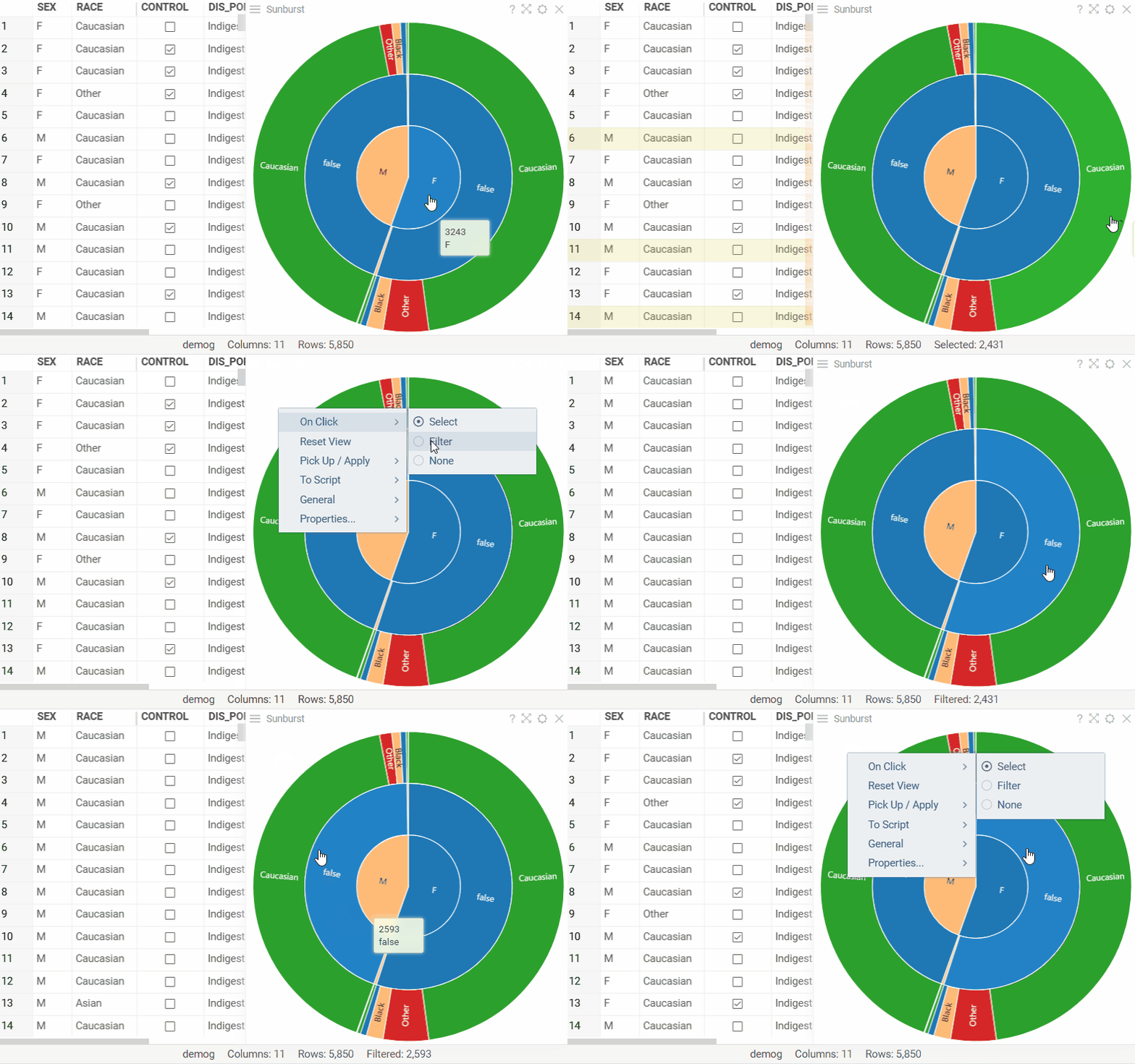
The center represents the top hierarchy, with each outer ring representing subsequent levels. The segment size within a ring shows its relative proportion compared to other categories at that level. Hover over any segment to see its row count. Click a segment to select its rows. To filter by a segment instead, switch On Click to Filter in the viewer's context menu.
Sunburst viewer also works with molecules. For example, you can use it to analyze structures based on shared R-groups.
To add a sunburst, on the Top Menu, click the Add viewer icon and select Sunburst.
To add the viewer from the console, use:
grok.shell.tv.addViewer('Sunburst');
To use the sunburst viewer, your data must have at least 2 levels of categorization.
Configuring sunburst
To configure a sunburst, hover over the viewer's top and click the Gear icon. The Context Panel on the right updates to show the viewer settings.
- To select which columns to show, use the Data > Hierarchy control.
- To set the hierarchy for a column, adjust the order by dragging it within the Select columns... window. The first row represents the highest hierarchy level; the second row sets the subsequent hierarchy level, and so forth.
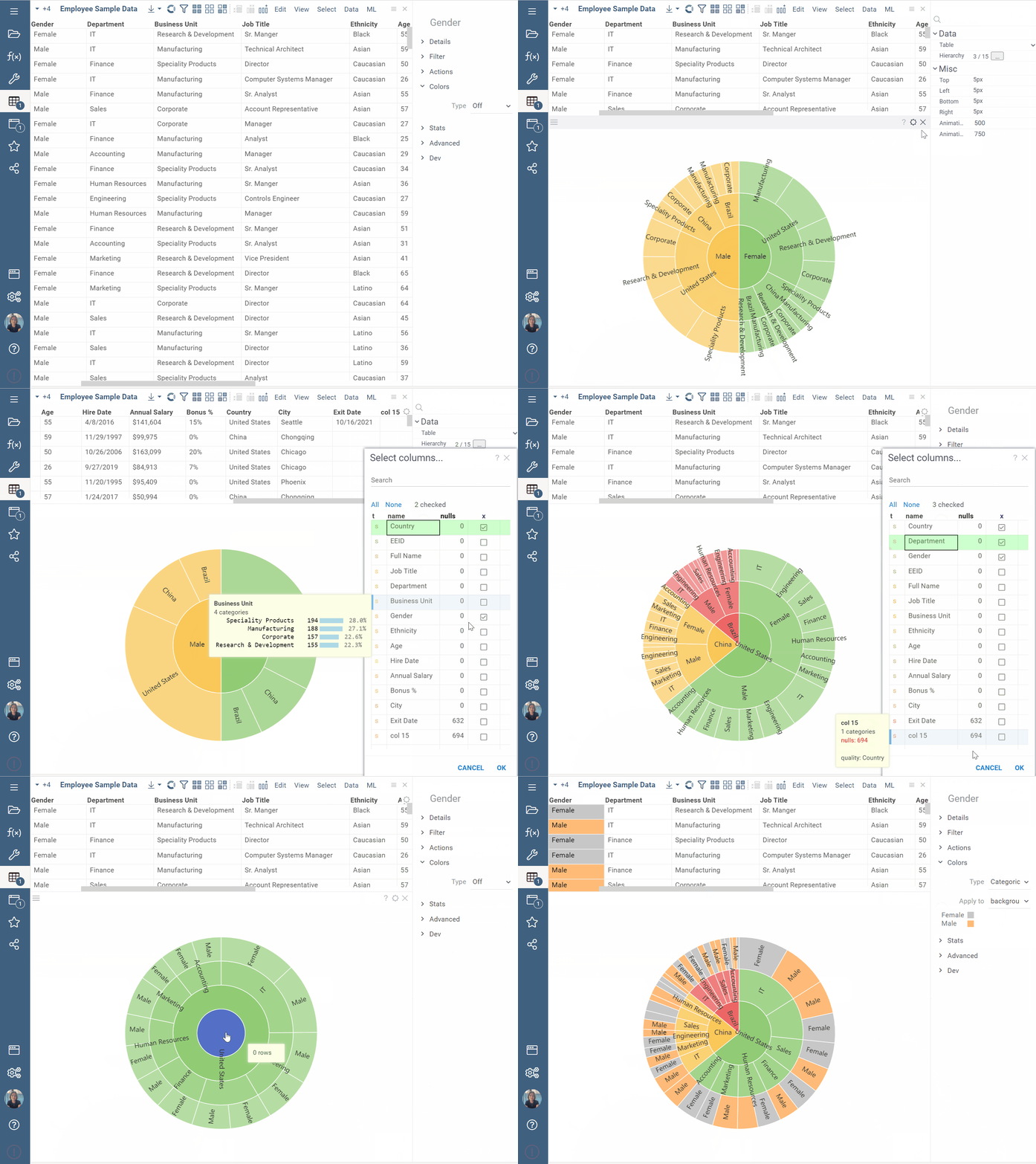
By default, each hierarchy branch has its own distinct color. However, if a grid column is color-coded, those colors transfer to the corresponding segments in the ring for that column.
Interaction with other viewers
A sunburst responds to data filters and works in sync with other viewers. To select a segment within sunburst, click it. This action automatically updates other viewers to mirror your selection.
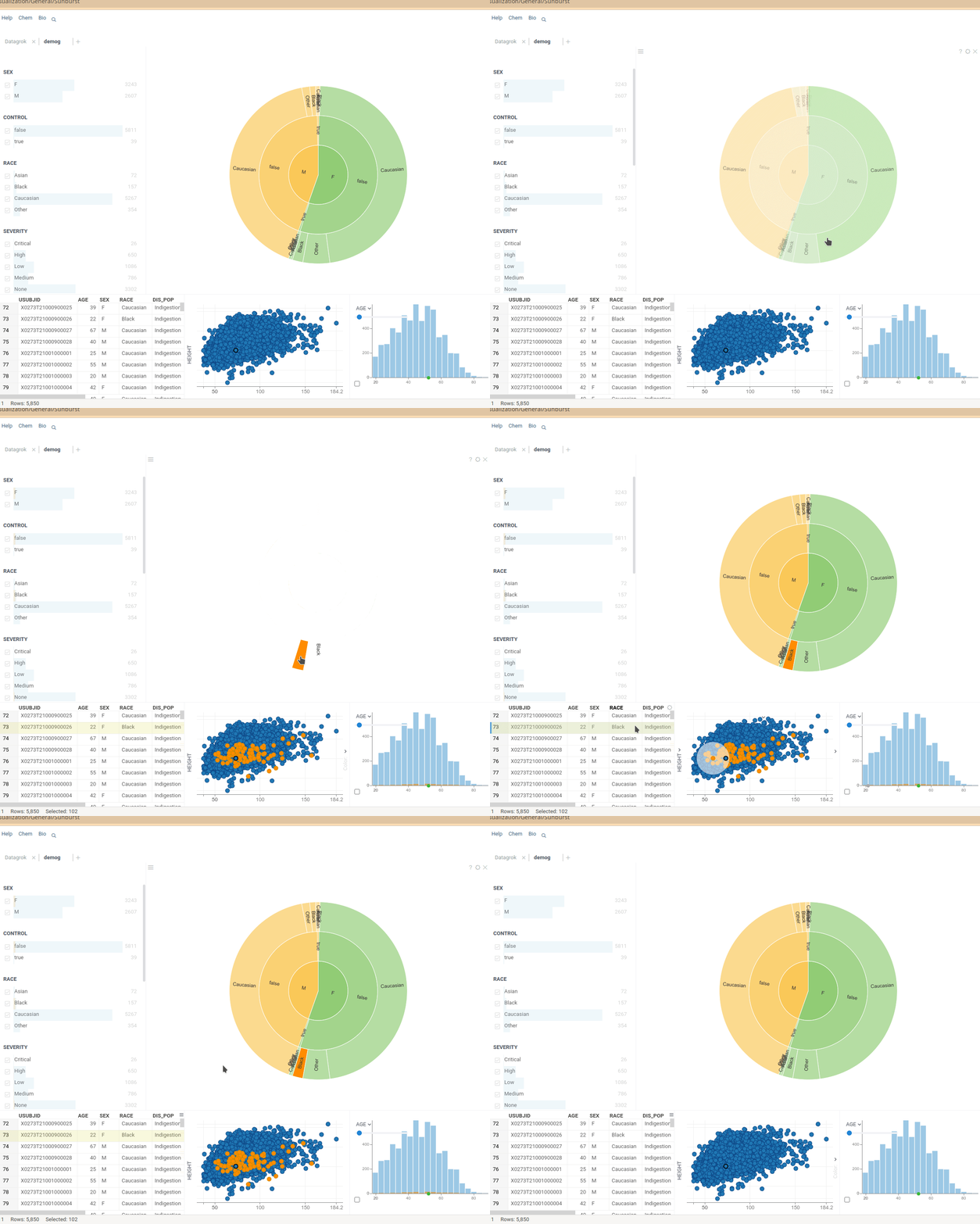
The sunburst will only reflect selections from other viewers when all data points in the specified segment are selected.
Viewer controls
| Action | Control |
|---|---|
| Select the rows of a segment | Click |
| Add a segment to the selection | Ctrl+Click or Shift+Click |
| Remove a segment from the selection | Ctrl+Shift+Click |
| Filter by a segment | Click, with On Click set to Filter |
| Clear the sunburst's filter | Double-click an empty area, or Reset View |