Histogram
A histogram is a graphical representation of the distribution of numerical data.
To add the viewer from the console, use:
grok.shell.tv.addViewer('Histogram');
General:
| Right click | Context menu |
| Alt+F | Show in full screen |
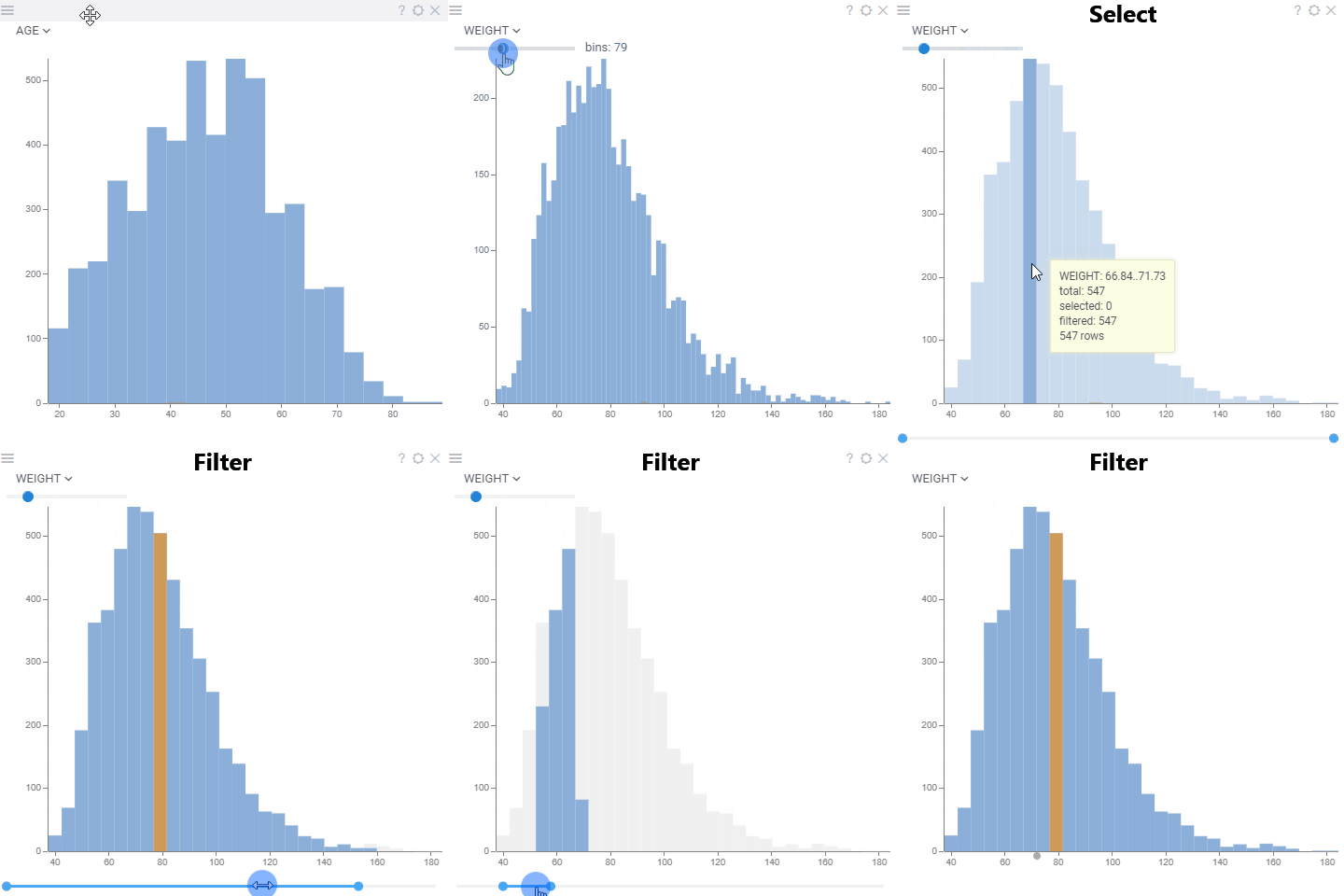
| Bin: click | Select bin exclusively |
| Bin: ctrl+click | Invert bin selection |
| Bin: shift+click | Select bin |
| Shift+Mouse drag | Select bins |
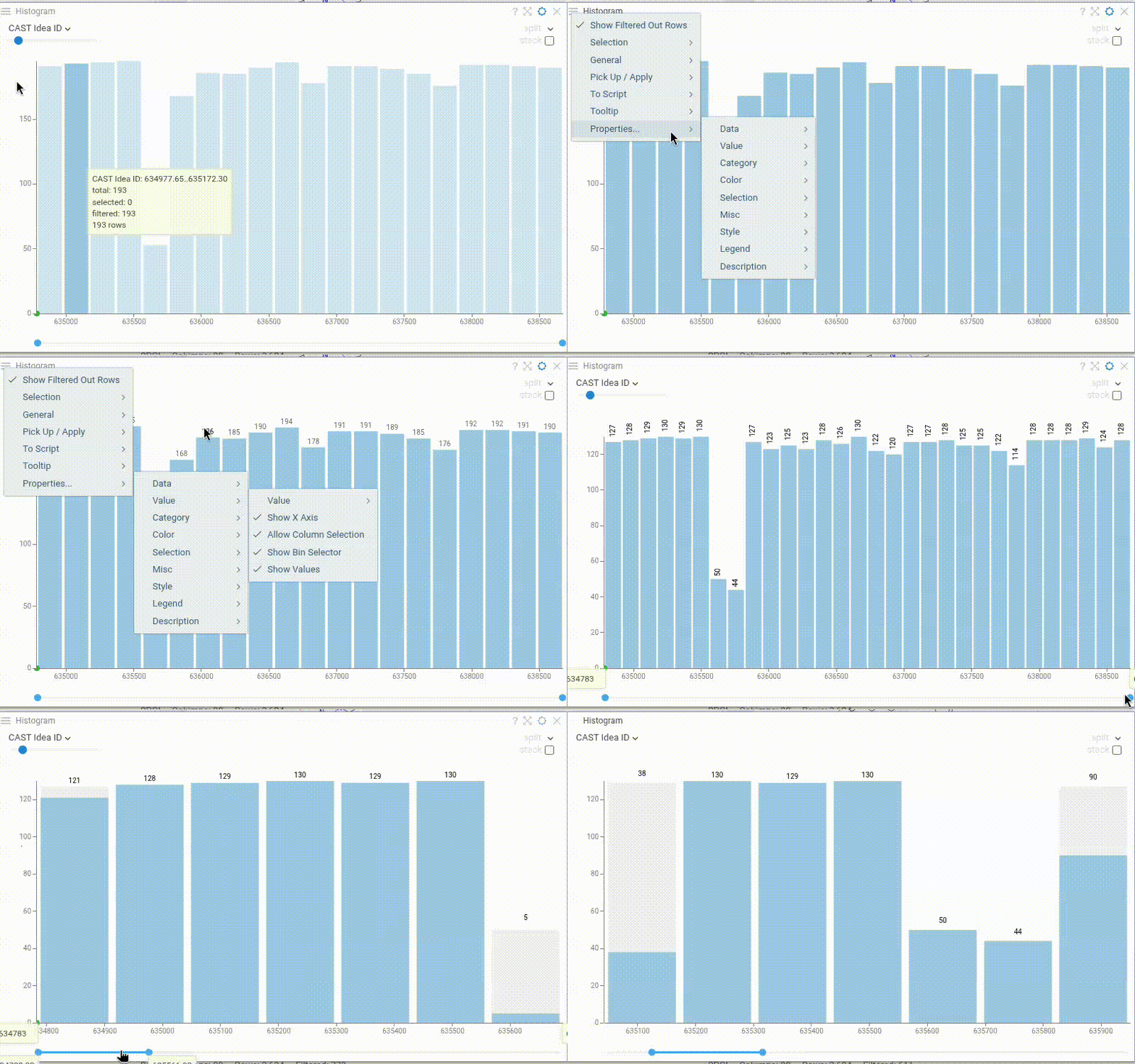
Show bin values
Enable Show Values to display the bin count on top of each bar. The value shown reflects the current row source configuration (filtered, selected, or all rows), making it easy to see bin sizes at a glance.
Axes
To spread the bins evenly on a logarithmic scale, set X Axis Type to logarithmic. To show
the bin counts on a logarithmic scale, set Y Axis Type to logarithmic. On this scale, bins
with zero or one row are drawn at the baseline.
To put several histograms on the same scale, set the same Y Min and Y Max for them. Bins that don't fit into the range are clipped and marked with wavy breaks and arrows. To hide the marks, clear Show Clipped Bin Indicators.
To mark a threshold or a range on the X axis, add a formula line or an annotation region.
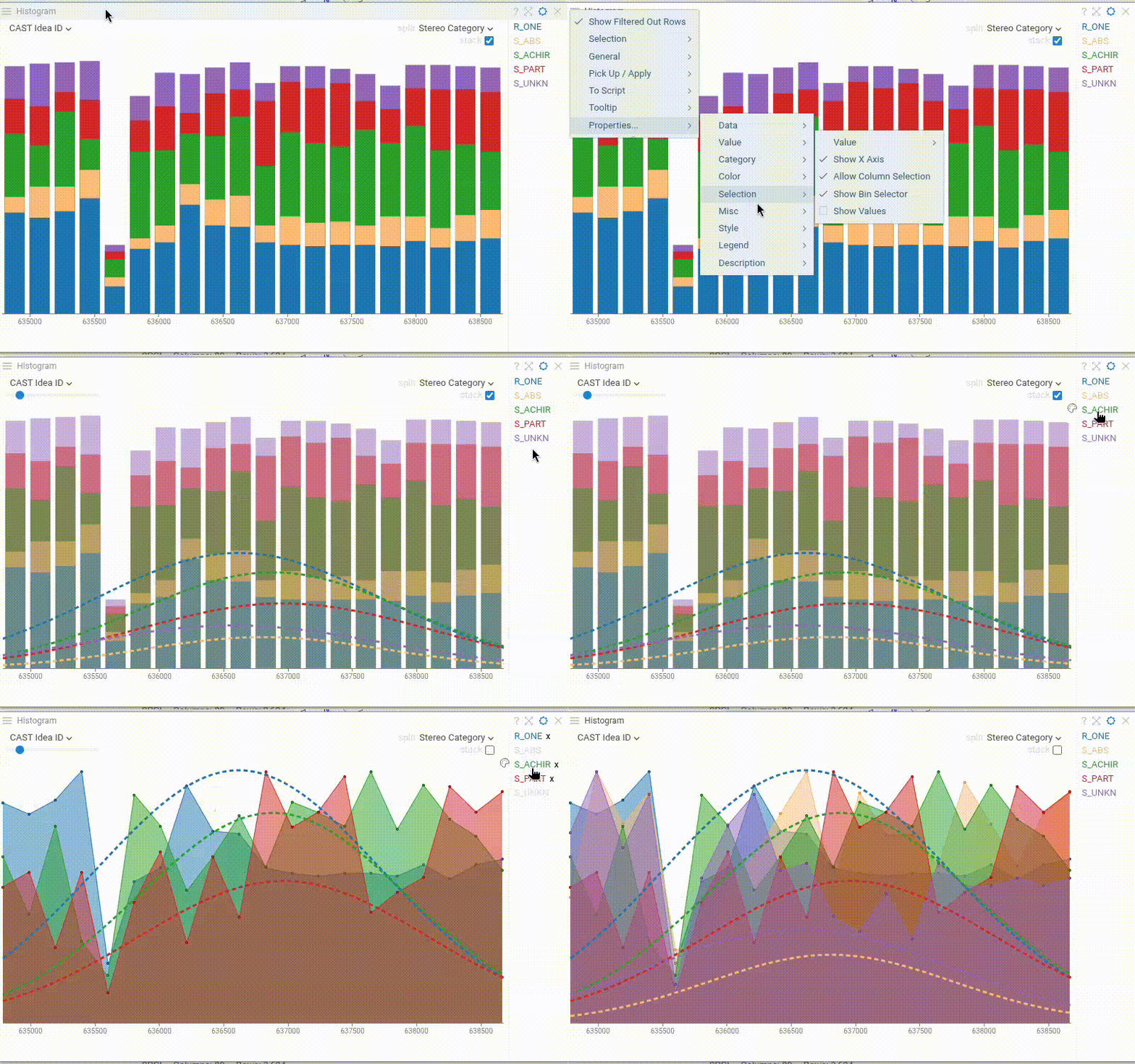
Distribution lines
When a Split Column is defined, enable Show Distribution Lines to overlay distribution curves over the histogram. This feature works with:
- Stacked bins (when Split Stack is enabled)
- Spline curves (when displaying multiple distributions)
- Filled splines (when both Spline and Fill Spline are enabled)
Distribution lines help visualize and compare the distribution patterns across different categories.
Videos
Properties
| Property | Type | Description |
|---|---|---|
| Data | ||
| Show Filtered Out Rows | boolean | Whether the filtered out rows should be shown with the semi-transparent color See also Filtered Out Color |
| Filtering Enabled | boolean | Allows to filter table using the range slider on the bottom. |
| Filter | string | Formula that filters out rows to show. Examples: ${AGE} > 20 or ${WEIGHT / 2)} > 100, ${SEVERITY} == 'Medium', ${RACE}.endsWith('sian') |
| Table | string | |
| X Axis | ||
| Value Column Name | string | A numerical column used to calculate the distribution of values. |
| Show X Axis | boolean | |
| Allow Column Selection | boolean | |
| Show Bin Selector | boolean | Show bin selector in the left top panel when the mouse is over the histogram |
| Show Values | boolean | Show bin values on top of the bars |
| Bins | number | Number of bins on the histogram |
| X Axis Type | string | Spreads the bins evenly on the logarithmic scale. |
| Value Min | number | |
| Value Max | number | |
| Y Axis | ||
| Show Y Axis | boolean | |
| Y Axis Type | string | Scale of the vertical (bin count) axis. On the logarithmic scale, bins with 0 and 1 rows are drawn at the baseline. |
| Y Min | number | Lower bound of the vertical axis. Empty means zero. Set Y Min and Y Max to put different histograms on the same scale. |
| Y Max | number | Upper bound of the vertical axis. Empty means the biggest bin count. Bins that do not fit are clipped. |
| Show Clipped Bin Indicators | boolean | When enabled, shows wavy breaks and arrows on the bins that are clipped by the vertical axis range. |
| Color | ||
| Color Column Name | string | Numerical column to be used for color-coding. The values in the bin get aggregated using the Color Aggr Type property. |
| Color Aggr Type | string | |
| Invert Color Scheme | boolean | |
| Linear Color Scheme | list | |
| Category | ||
| Split Column Name | string | A categorical column to split data on (each bar represents a category) |
| Normalize Values | boolean | Whether the values should be normalized when multiple histograms are shown. If true, you are comparing distributions; if false, you are comparing absolute values. Requires Split Column Name to be set. |
| Split Stack | boolean | If true, split are shown as stacked bins |
| Spline Tension | number | Spline tension in case multiple histograms are shown. Requires Split Column Name to be set. |
| Show Markers | boolean | Whether markers should be drown when multiple histograms are shown. Requires Split Column Name to be set. |
| General | ||
| Zoom To Range | boolean | Whether the horizontal axis should be zoomed to the range of the visible bins. |
| Normalize To Filter | boolean | Whether the values should be normalized to the filter or globally. |
| Bin To Range | boolean | Bin the values that are in the filter range. |
| Spline | boolean | Whether the distribution should be rendered as bars or as a spline. When Split is defined, histogram always shows splines. |
| Fill Spline | boolean | Whether the area below the spline should be filled with the corresponding color. Only applicable when spline is true and split is empty |
| Show Column Selector | boolean | |
| Show Split Selector | boolean | |
| Show Range Slider | boolean | |
| Show Range Inputs | boolean | Visibility of the free-text inputs for the filter range |
| Bin Width Ratio | number | How much space does bin occupy (1 = no margins, 0 = no bin) |
| Show Histogram | boolean | |
| Show Context Menu | boolean | Shows the context menu. |
| Margin Left | number | |
| Margin Top | number | |
| Margin Right | number | |
| Margin Bottom | number | |
| Filter Margin Top | number | |
| Filter Margin Bottom | number | |
| Row Source | string | Determines the rows shown on the plot. |
| Allow Dynamic Menus | boolean | |
| Title | string | |
| Description | string | Viewer description that gets shown at the Descriptor Position. Markup is supported. |
| Help | string | Help to be shown when user clicks on the '?' icon on top. Could either be in markdown, or a URL (starting with '/' or 'http'). |
| Description Position | flexposition | |
| Description Visibility Mode | visibilitymode | |
| Selection | ||
| Show Current Row | boolean | Indicates current row as a dot on the horizontal axis |
| Show Mouse Over Row | boolean | Indicates current row as a dot on the horizontal axis |
| Show Mouse Over Row Group | boolean | Show the distribution of the values that the mouse is currently over in another viewer. |
| Misc | ||
| Show Distribution Lines | boolean | Shows distribution lines for each stack or spline category in the histogram (see also Split and Split Stack). |
| Style | ||
| Auto Layout | boolean | style |
| X Axis Height | number | |
| Y Axis Width | number | |
| Filter Height | number | |
| Row Indicator Size | number | |
| Back Color | number | |
| Axis Font | string | |
| Filtered Bins Color | number | |
| Selected Bins Color | number | |
| Values Color | number | |
| Filtered Out Color | number | |
| Annotation Font | string | |
| Formula Font | string | |
| Controls Font | string | Viewer controls elements font. |
| Annotations | ||
| Show Viewer Annotation Regions | boolean | |
| Show Dataframe Annotation Regions | boolean | |
| Show Viewer Formula Lines | boolean | Control the visibility of viewer-level formula lines. Edit formula lines by right-clicking and selecting "Tools | Formula Lines" from the popup menu. Requires the PowerPack plugin. |
| Show Dataframe Formula Lines | boolean | Control the visibility of dataframe-originated formula lines. Edit formula lines by right-clicking and selecting "Tools | Formula Lines" from the popup menu. Requires the PowerPack plugin. |
| Legend | ||
| Legend Visibility | visibilitymode | |
| Legend Position | flexautoposition | |
| Description | ||
| Show Title | boolean |
See also: