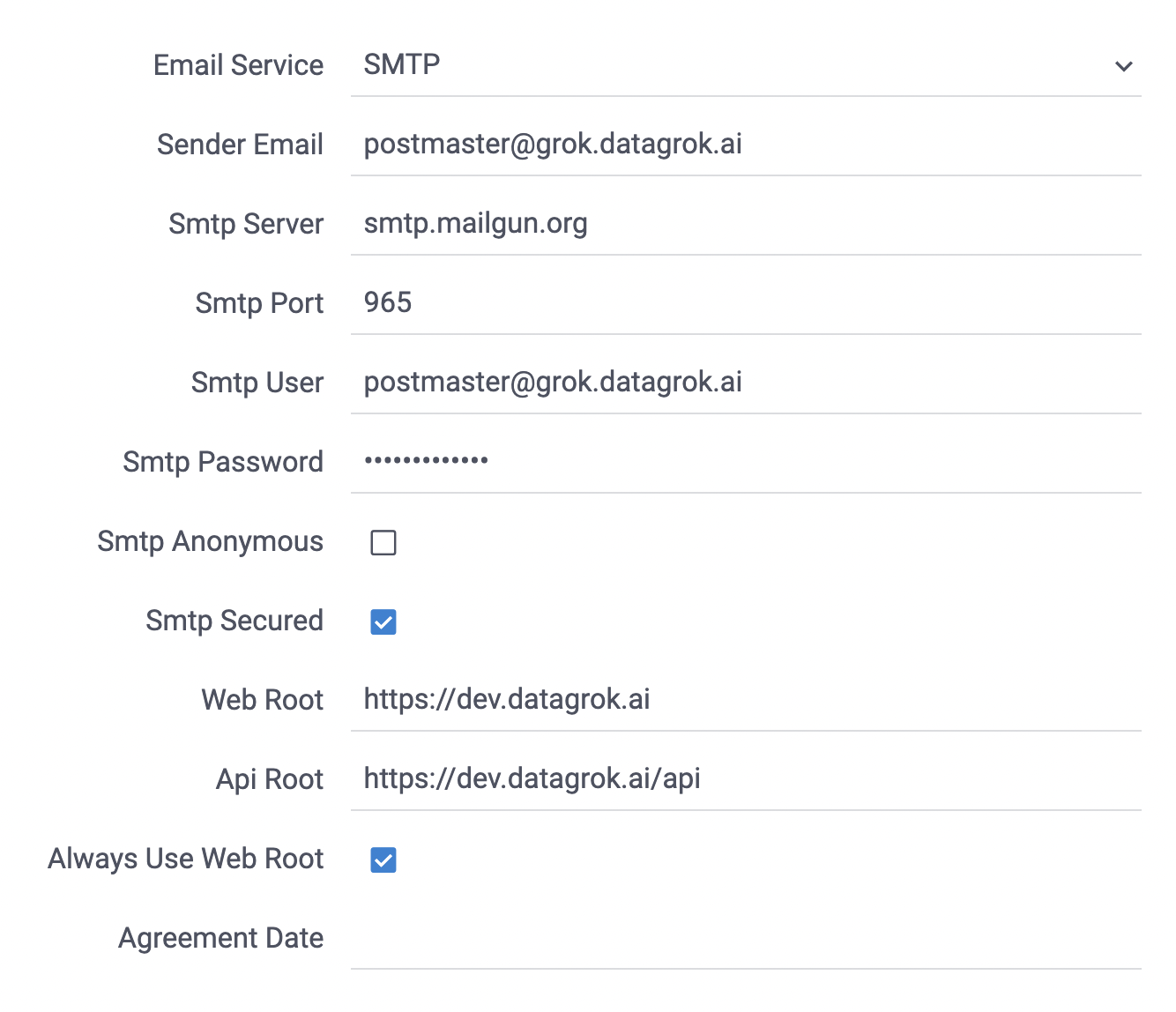
Configure SMTP
Datagrok supports Mailgun email delivery platform, Amazon SES, different SMTP servers, and an unauthenticated SMTP relay (Datagrok mailer). Configure a local SMTP server or use a cloud solution based on your needs.
To configure email delivery for Datagrok:
- Go to the Datagrok Settings section 'Admin'
- Configure Sender Email from which users will get emails
- Set Web Root, which is the root URL of the Datagrok instance
- Set Api Root, which is the same as the root URL with the
/apisuffix - Email Service:
- Set Mailgun if you use their integration
- Configure Mailgun Domain and Mailgun key got from the Mailgun interface
- Set SES to send through Amazon SES without SMTP credentials. Datagrok calls the SES v2 API with the
IAM role of its pod or instance. That role needs the
ses:SendEmailpermission, and Sender Email must be a verified SES identity- Set AWS Region to the region of the SES identity. If empty, Datagrok uses the
AWS_REGIONenvironment variable - Optionally, set Configuration set to an SES configuration set for event tracking
- Set AWS Region to the region of the SES identity. If empty, Datagrok uses the
- Set Datagrok mailer to relay email through an SMTP relay without authentication, such as a mail container in your deployment. Set Mailer URL to the relay's host name. Datagrok connects to it on port 25 without TLS
- In all other cases, set SMTP
- Configure SMTP server address/DNS name. If you want to use the host SMTP server with dockerized Datagrok
set
host.docker.internal - Set the SMTP server port. In most cases is 25
- Set the SMTP user and password
- Use SMTP anonymous mode if you want to use an anonymous SMTP server
- Check SMTP is secured to use SMTPS
- Configure SMTP server address/DNS name. If you want to use the host SMTP server with dockerized Datagrok
set
- Set Mailgun if you use their integration